Download

Limitless,
on every screen.

Limitless AI for your desktop, SuperOS for your Android phone, and GamerStake right in your browser. One account signs you in to all three.
Development builds, not productionEverything on this page is an early build for testing. Expect rough edges and frequent new versions.
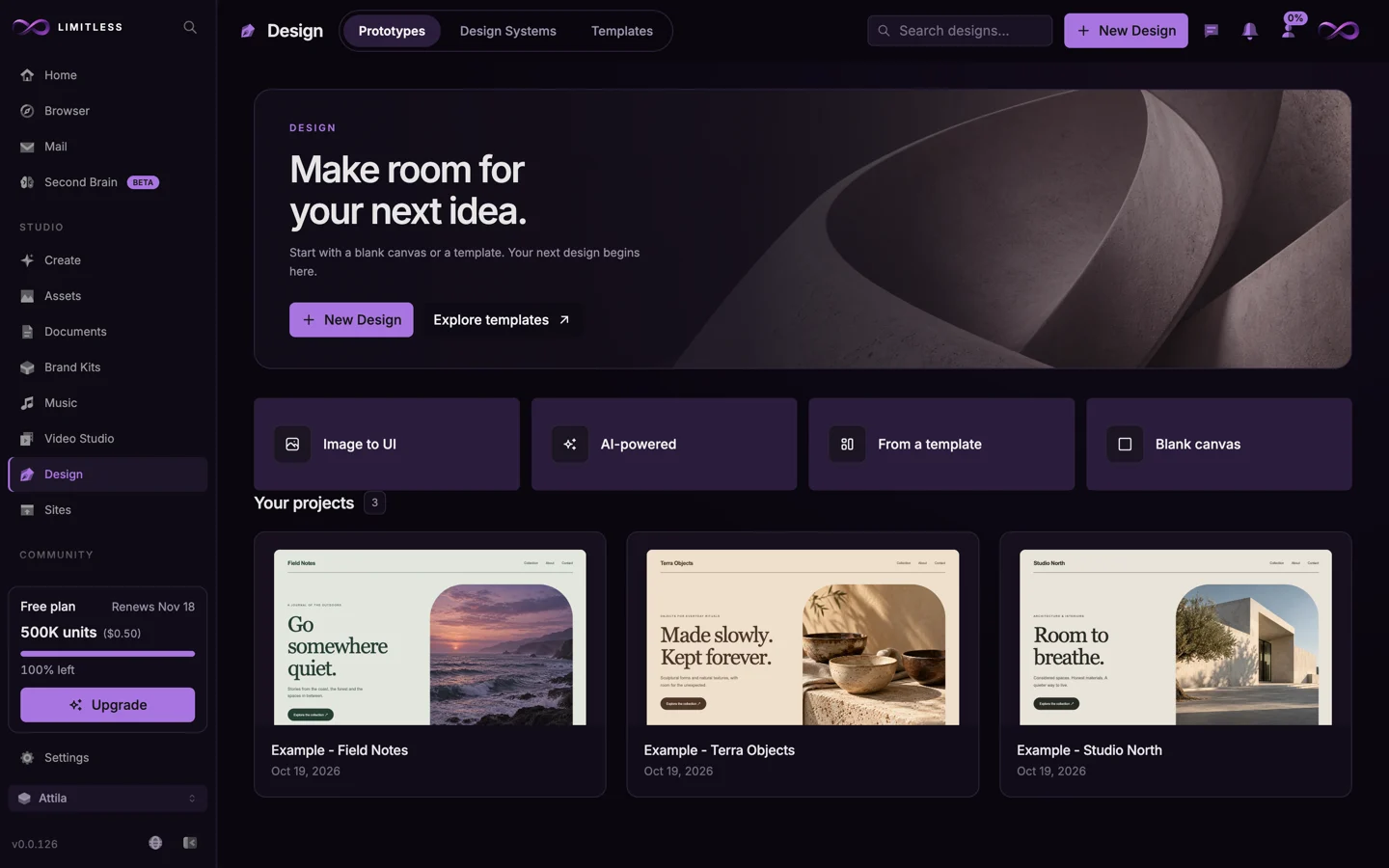
Limitless AI · Home
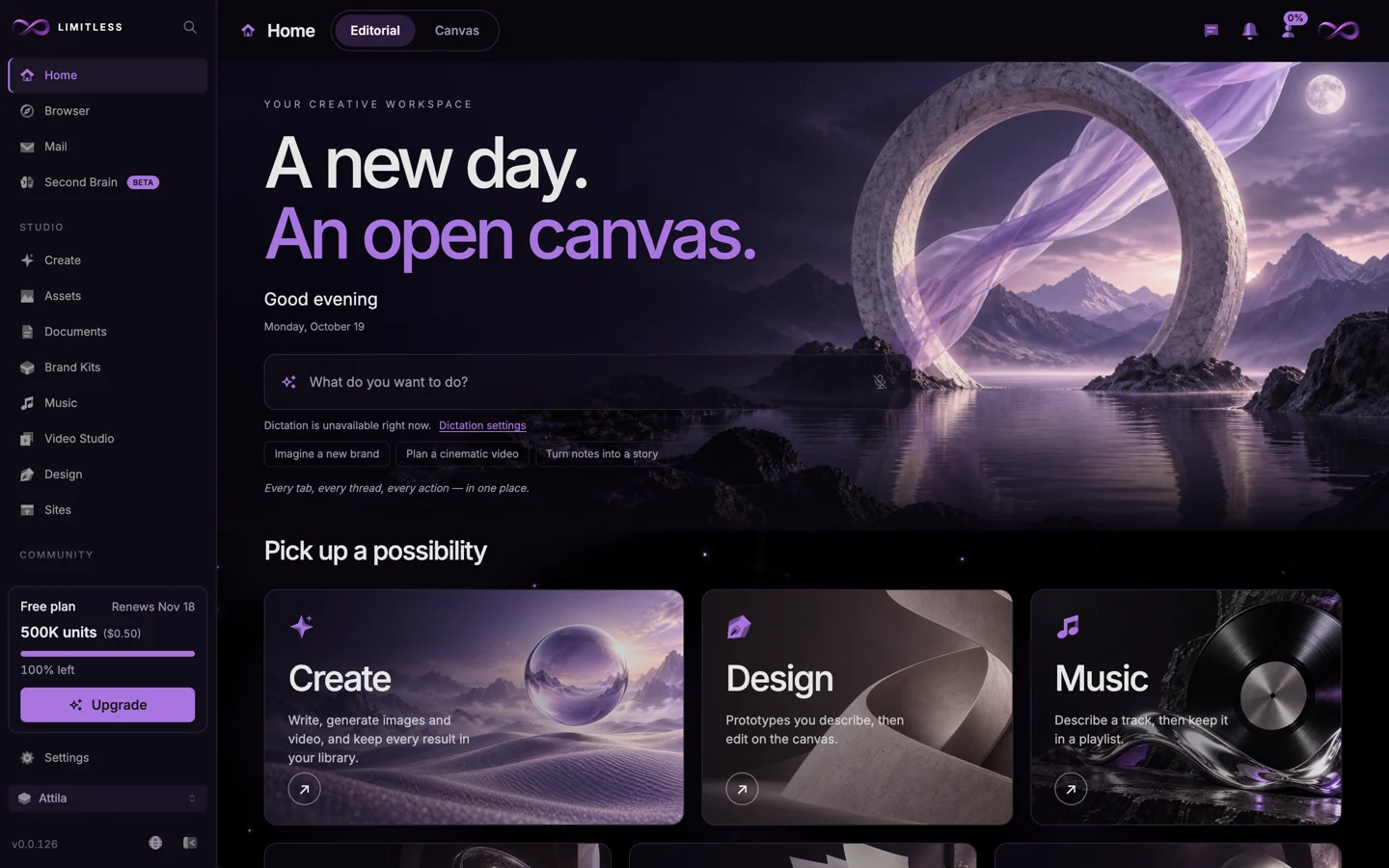
Limitless AI desktop app, Home in the Editorial view: A new day. An open canvas.
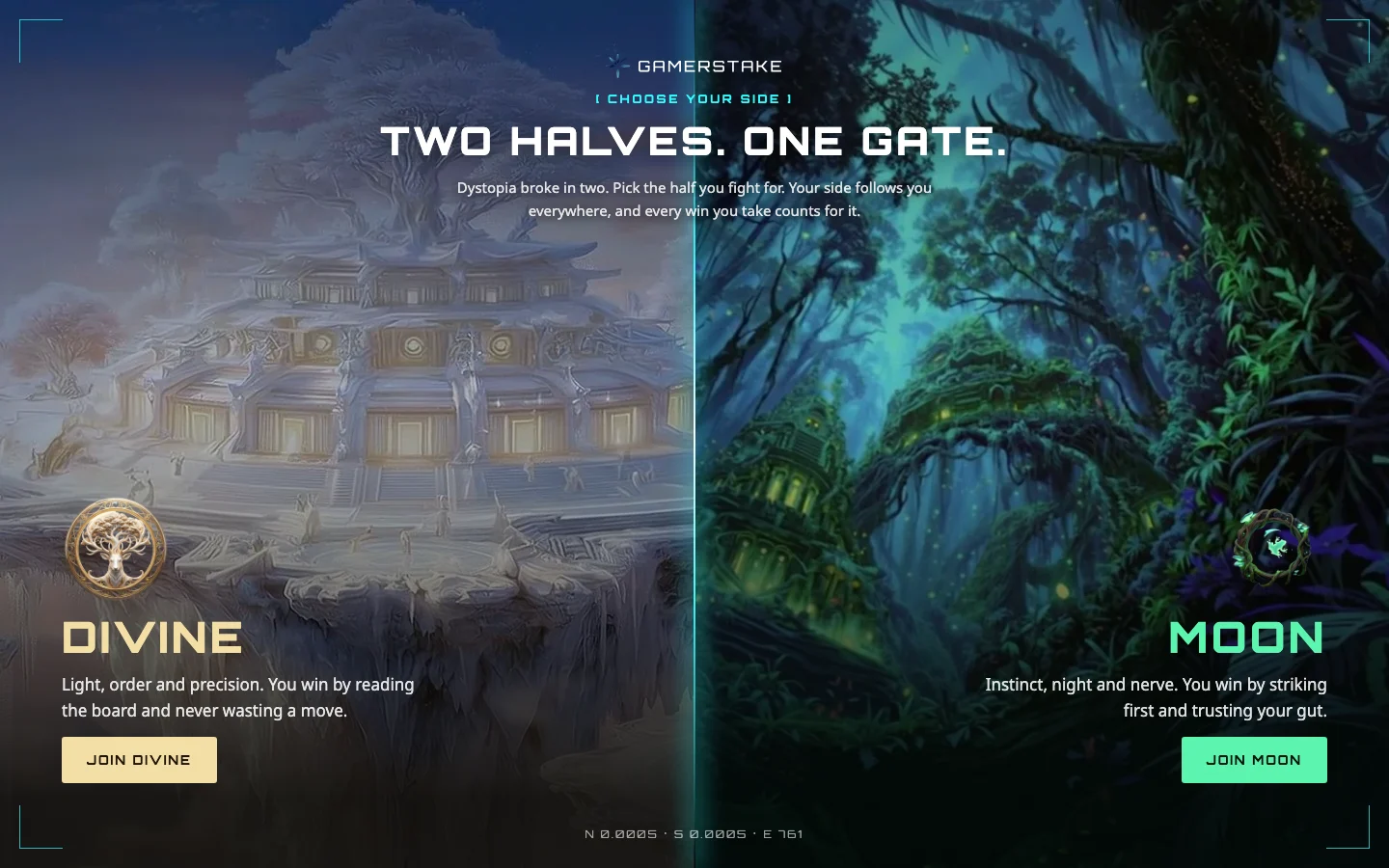
dev.gamerstake.io
GamerStake in the browser: Two halves. One gate.
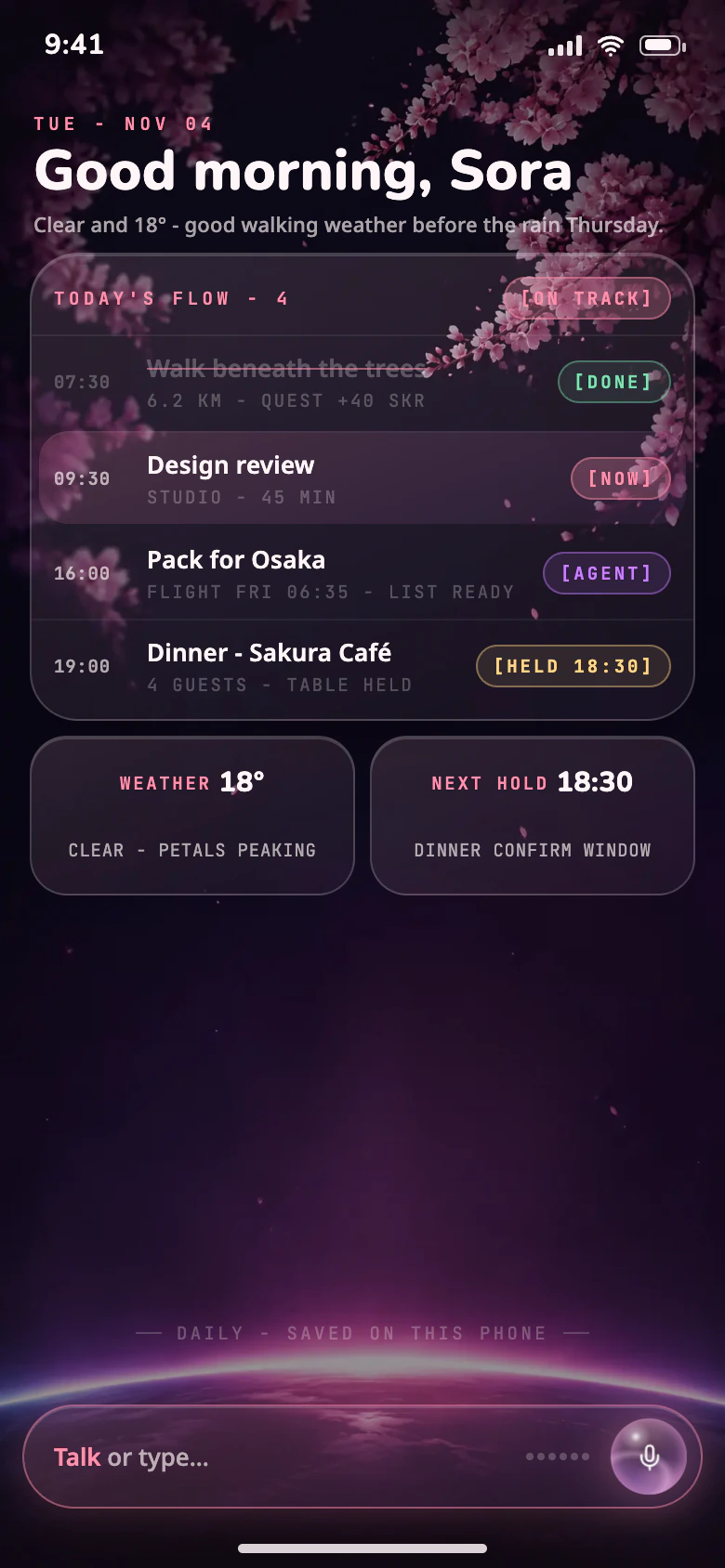
SuperOS on Android: Good morning, Sora
Desktop · macOS, Windows, LinuxWeb · no installAndroid
Limitless AI logo

Limitless AI · Desktop

Your creative workspace,
on the computer you use.

A creative browser and desktop workspace with an AI agent. The app is in alpha, version 0.0.x, with new builds often. Pick your system, download the development build and sign in with your Limitless account.

Development build
Limitless
Limitless AI on macOS: Design, make room for your next idea
macOSApple Silicon · arm64
File
Limitless-[VERSION]-arm64.dmg
Version
[VERSION]alpha 0.0.x
Size
[SIZE]
SHA-256
[CHECKSUM]
Download for macOS

Development build · [AWS DOWNLOAD LINK]

Development build
Limitless
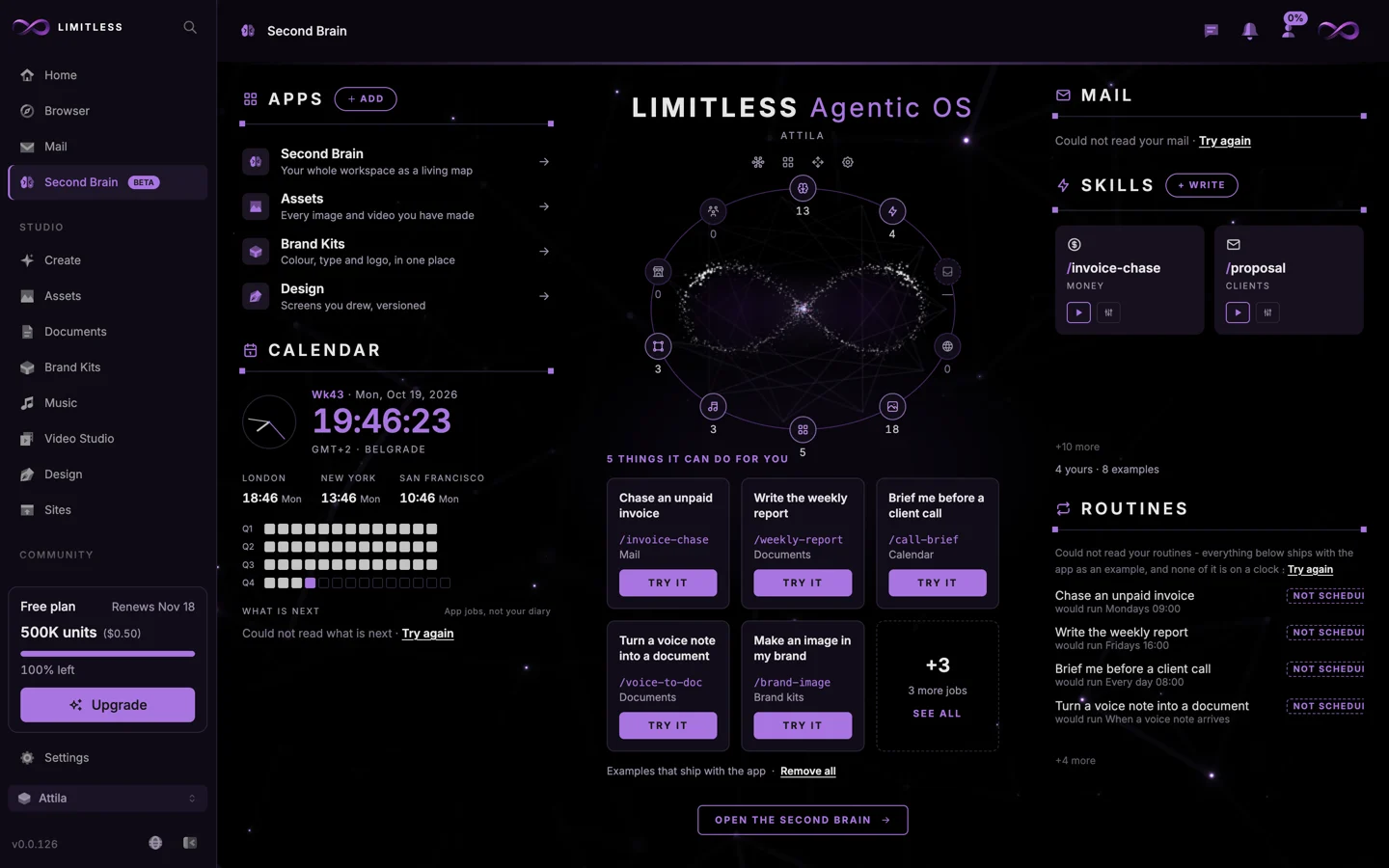
Limitless AI on Windows: Second Brain, the Agentic OS view
Windows64-bit · x64 installer
File
Limitless_Setup_[VERSION]_x64.exe
Version
[VERSION]alpha 0.0.x
Size
[SIZE]
SHA-256
[CHECKSUM]
Download for Windows

Development build · [AWS DOWNLOAD LINK]
Development build
Limitless
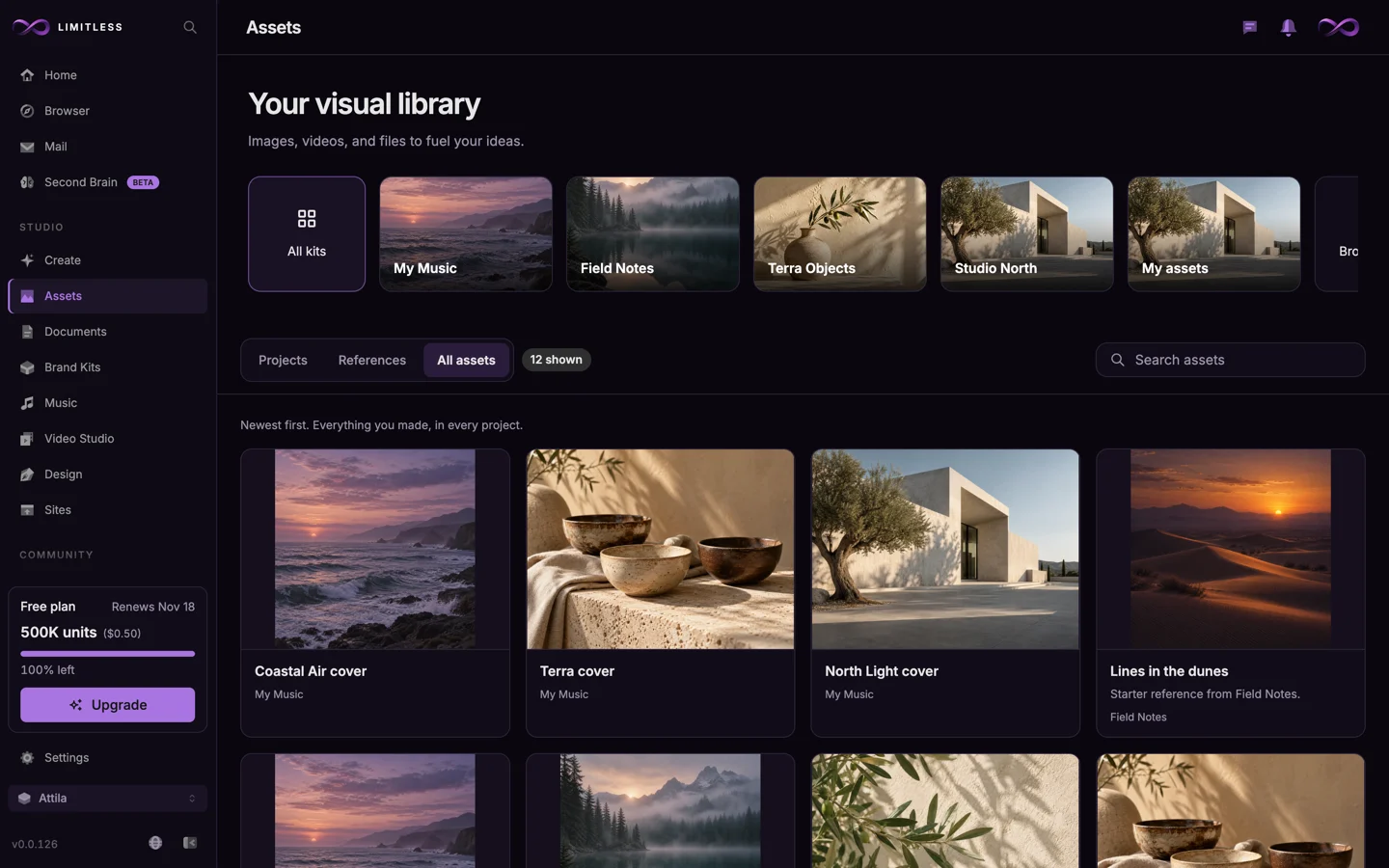
Limitless AI on Linux: Assets, your visual library
Linux[PLACEHOLDER] package
File
Limitless-[VERSION].[FORMAT]
Version
[VERSION]alpha 0.0.x
Size
[SIZE]
SHA-256
[CHECKSUM]
Download for Linux

Development build · [AWS DOWNLOAD LINK]

One sign-inYour Limitless account
Free plan inside500K units, renewed monthly
Offline dictationSpeech stays on this computer
11 languagesInterface in your language

Phone and web

SuperOS in your pocket.
GamerStake in any browser.

SuperOS installs on an ordinary Android phone: no root and no unlocked bootloader. GamerStake needs no download at all; open it in your browser and play.

SuperOS logo
Move · AndroidSuperOS
Android 10 or newer

An assistant that operates your phone.

Ask by chat or voice and it plans and runs the steps across your apps. It always stops before a payment.

File
SuperOS-[VERSION].apk
Needs
No root · no unlocked bootloader
Size
[SIZE]
SHA-256
[CHECKSUM]

Development build · [AWS DOWNLOAD LINK]
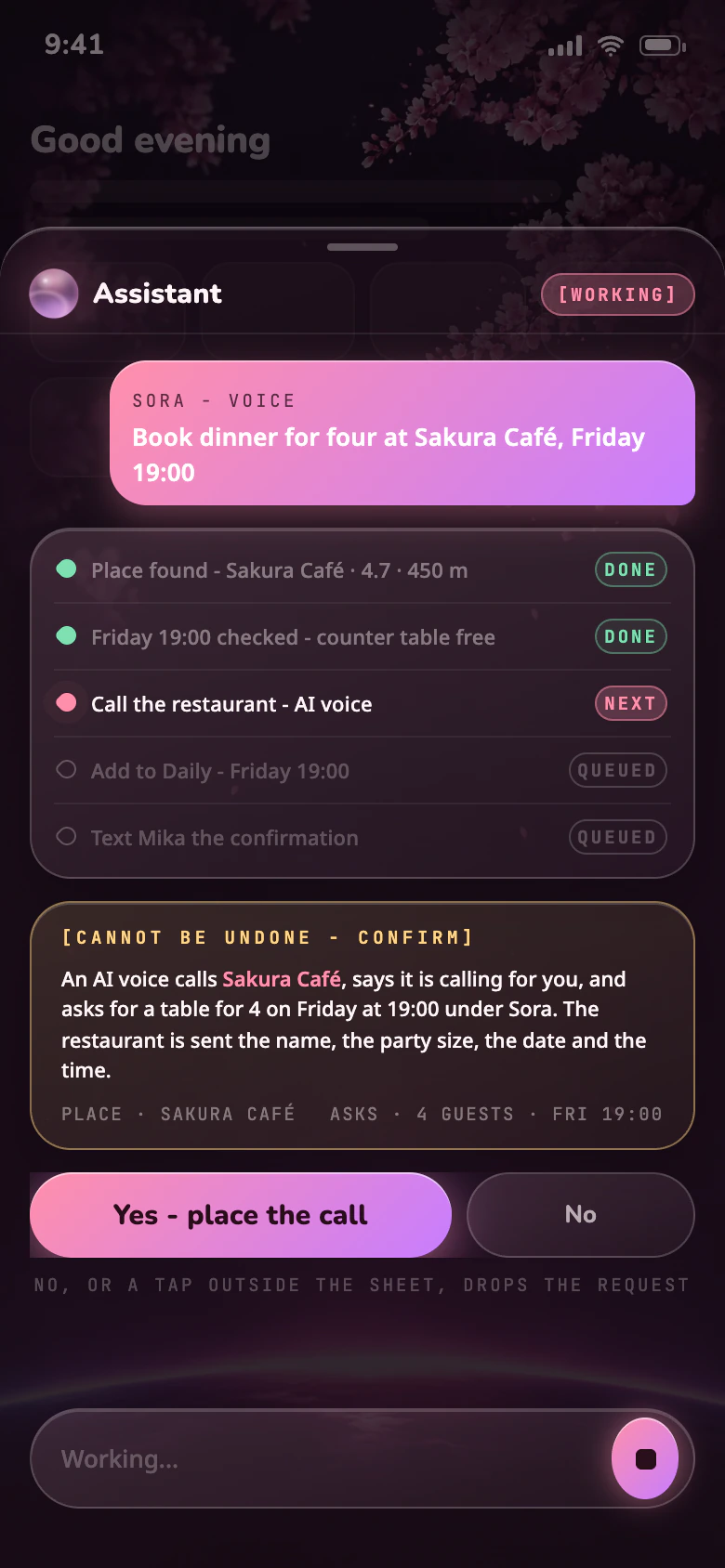
SuperOS asks before acting: nothing happens until you say yes
SuperOS Today screen: Good morning, Sora
dev.gamerstake.io
GamerStake home in the browser: Two halves. One gate.
GamerStake logo
Play · WebGamerStake

Nothing to install.

GamerStake runs in your browser. Sign in with your Limitless account, pick Divine or Moon, and take a seat at a table.

dev.gamerstake.ioDevelopment site
  • Skill-only tables: both players lock the same stake.
  • Trials made with Limitless: Tetris, Sprout Siege, Rush Line.

System requirements

Check your machine
before you download.

What each build runs on today. Exact minimums for memory and disk are still being measured; they land here with the first production release.

macOSLimitless AI
WindowsLimitless AI
LinuxLimitless AI
AndroidSuperOS
System version
[PLACEHOLDER]
[PLACEHOLDER]
[PLACEHOLDER]
Android 10 or newer
Processor
Apple Silicon (arm64)
64-bit (x64)
[PLACEHOLDER]
[PLACEHOLDER]
Memory
[PLACEHOLDER]
[PLACEHOLDER]
[PLACEHOLDER]
[PLACEHOLDER]
Disk space
[PLACEHOLDER]
[PLACEHOLDER]
[PLACEHOLDER]
[PLACEHOLDER]
Package
.dmg disk image
.exe installer
[PLACEHOLDER]
.apk
Admin rights
Drag to Applications
Not needed
[PLACEHOLDER]
No root
Internet
For AI features
For AI features
For AI features
[PLACEHOLDER]
GamerStake logoGamerStake runs in a current web browser. Nothing to install, nothing to update.
macOSLimitless AI
System version
[PLACEHOLDER]
Processor
Apple Silicon (arm64)
Memory · disk
[PLACEHOLDER]
Package
.dmg disk image
WindowsLimitless AI
System version
[PLACEHOLDER]
Processor
64-bit (x64)
Memory · disk
[PLACEHOLDER]
Package
.exe, no admin prompt
LinuxLimitless AI
System version
[PLACEHOLDER]
Processor
[PLACEHOLDER]
Memory · disk
[PLACEHOLDER]
Package
[PLACEHOLDER]
AndroidSuperOS
System version
Android 10 or newer
Root · bootloader
Not needed
Memory · disk
[PLACEHOLDER]
Package
.apk
GamerStake logoGamerStake runs in a current web browser. Nothing to install.

Install

From download
to signed in.

A few steps on each system. Development builds are not yet signed the way production builds will be, so your system may ask once before it opens the app.

macOS.dmg · Apple Silicon
  1. 1Open the downloaded .dmg.
  2. 2Drag Limitless into Applications.
  3. 3First launch: right-click, then Open. The development build is unsigned, so macOS asks once.
  4. 4Sign in with your Limitless account.
Windows.exe · x64
  1. 1Run Limitless_Setup_[VERSION]_x64.exe.
  2. 2It installs for your user only, so there is no administrator prompt.
  3. 3Keep the default folder or choose your own.
  4. 4Open Limitless from the Start menu and sign in.
Linux[FORMAT]
  1. 1Download the Linux build.
  2. 2Install or run it:
    [PLACEHOLDER]
  3. 3Open Limitless and sign in with your account.
AndroidSuperOS · .apk
  1. 1Download the APK on your phone.
  2. 2When Android asks, allow installs from your browser.
  3. 3Open SuperOS and follow onboarding to grant its permissions.
  4. 4Sign in with your Limitless account.
Check the download is intact

Compare the file's SHA-256 with the checksum listed on its card above. If they differ, delete the file and download it again.

Terminal
# macOSshasum -a 256 Limitless-[VERSION]-arm64.dmg# Windows (PowerShell)Get-FileHash Limitless_Setup_[VERSION]_x64.exe -Algorithm SHA256# Linuxsha256sum Limitless-[VERSION].[FORMAT]

What is in this build

Honest release notes,
rough edges included.

What works, what is still in beta and what is switched off. Written down, not papered over. The full history lives in the changelog.

Limitless AI logoLimitless AI · desktop
Development build

Version [VERSION] · alpha

Works
HomeBrowserCreateAssetsDocumentsMusicVideo StudioDesignMarketSocialPassword vault
In beta
Second Brain
Not live yet

Publishing a design as a site works in the app, but the sites domain is not live yet.

Switched off

Games is built but switched off in released builds for now.
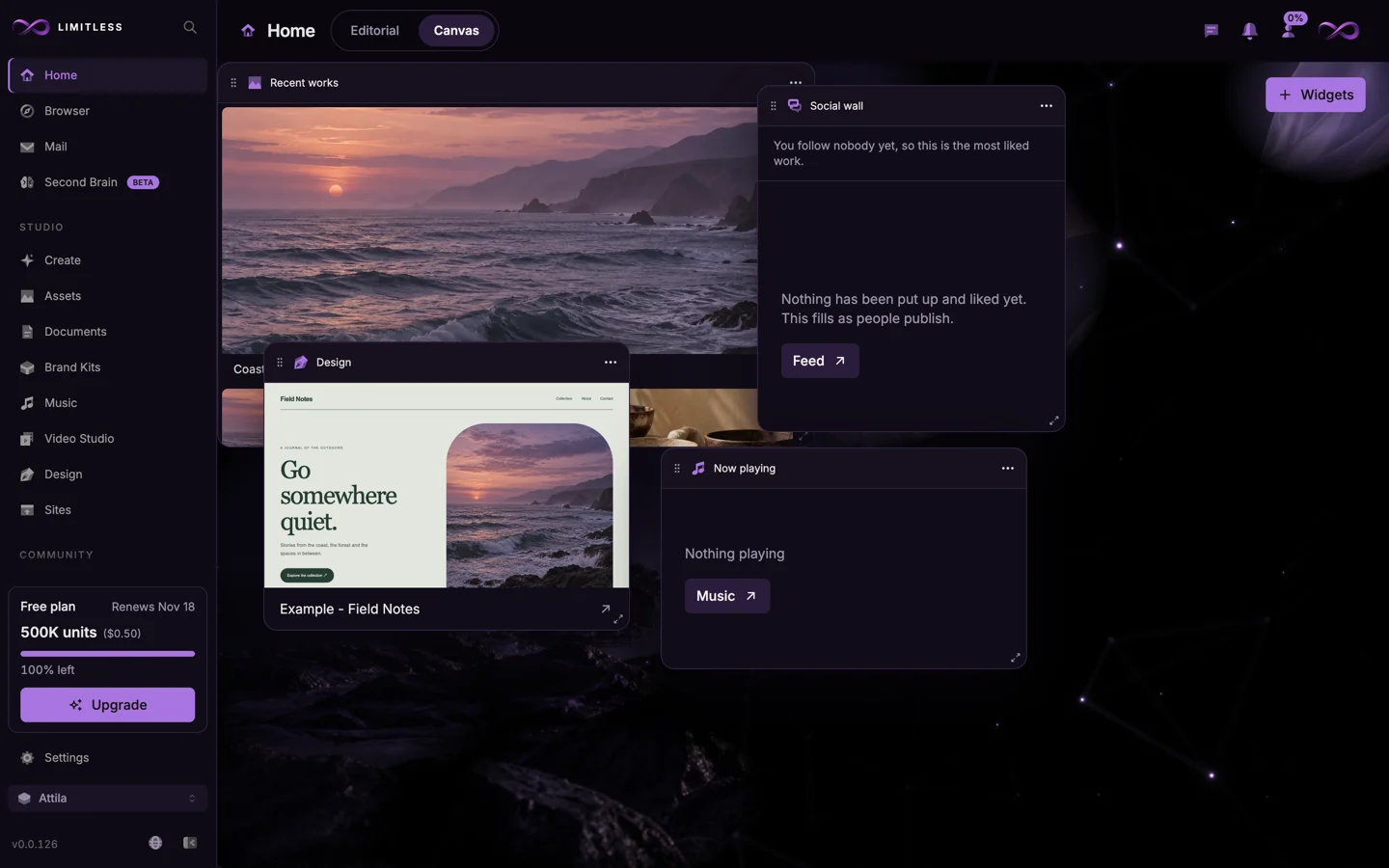
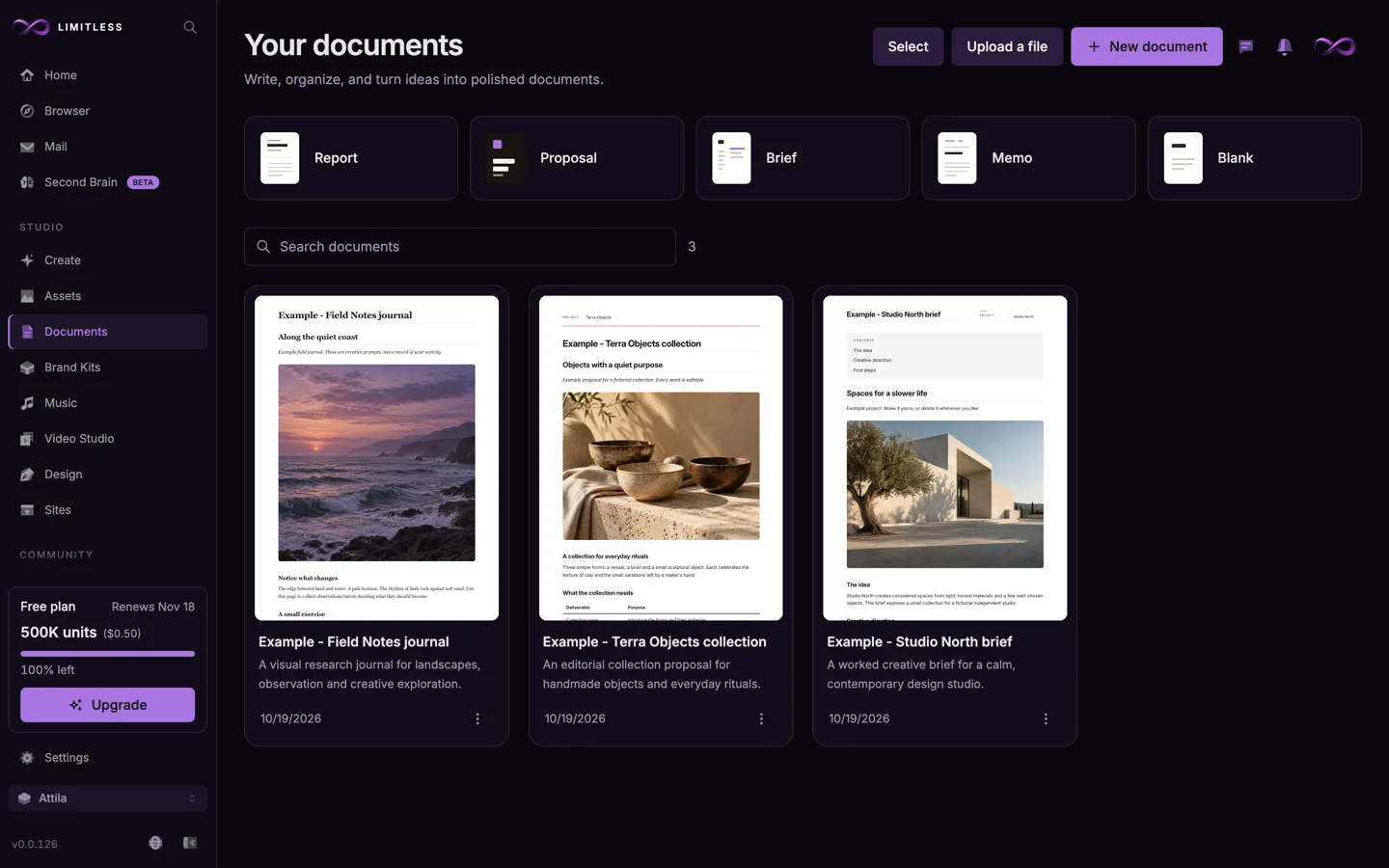
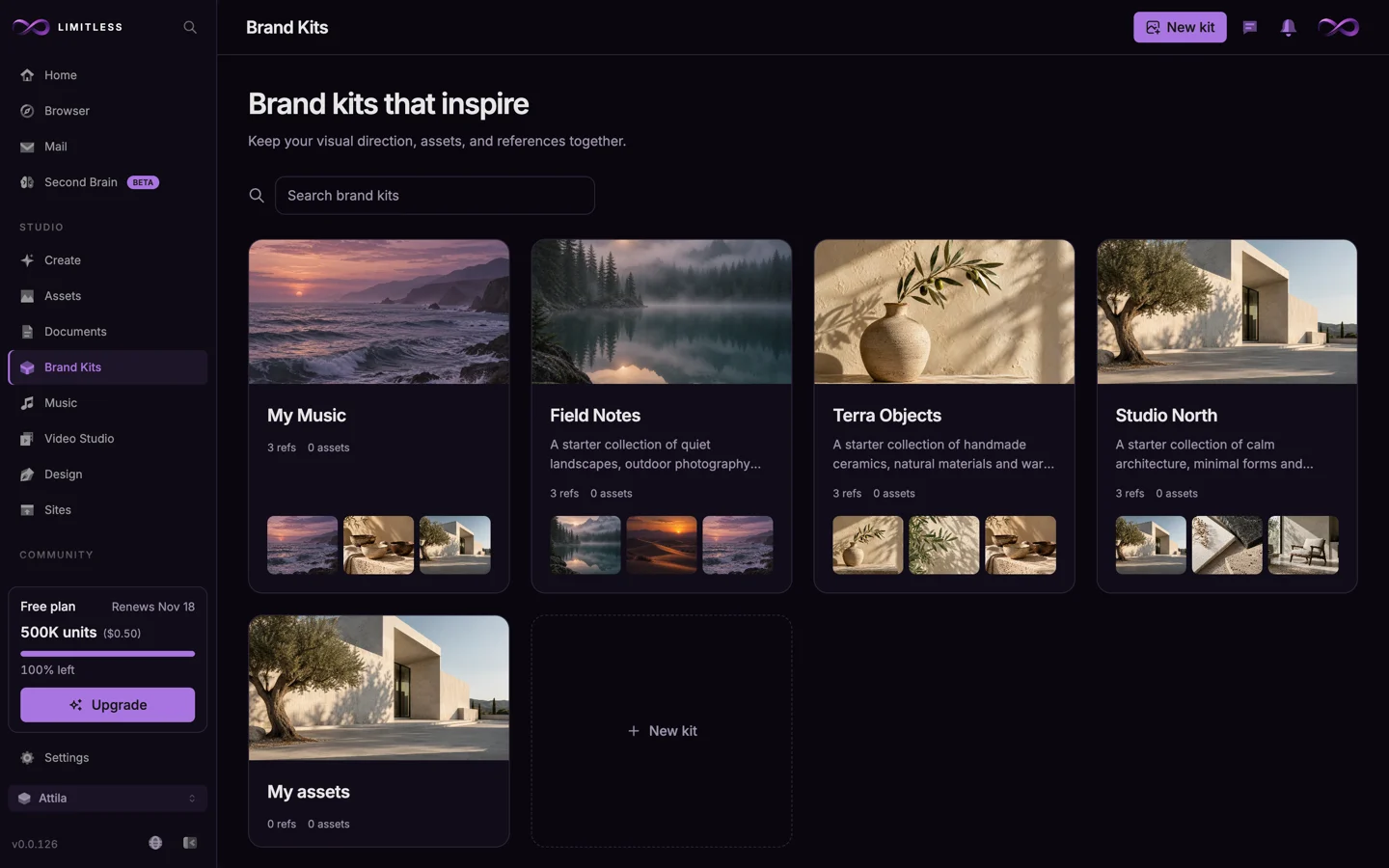
Home, Canvas viewDocumentsBrand KitsAssets
SuperOS logo
SuperOS · AndroidVersion [VERSION]
Dev build

Release notes for this build: [PLACEHOLDER]

What "development build" means
  • Early. New features land here first, before any production release.
  • Changes often. New builds replace old ones as fixes ship.
  • Updates. The macOS development build cannot update itself; download the new one from this page.
  • Production release:[PLACEHOLDER]
Read the full changelog
Limitless infinity mark

One account.
Every screen.

Desktop, phone and browser.
One Limitless you.

Create your account